What advice would you give an educational services company (ESC) that wants to break into the international school market? When I lived in the U.S., I consulted with a few providers who offered after-school activity programs, so my experience was minimal. But I can put on my instructional technology hat to think as a designer looking at challenges and opportunities to develop some plans moving forward.
I am reminded that the first step to supporting clients in determining their needs. My son Sam adds to this point that the ESC should not look at the client’s needs only within the scope of the services that they can provide. They should be ready to say, “we don’t have the know-how to help you with difficulty, but we can help find someone who does.”
With international schools, it is essential to focus on their mission and values at the center of one’s services. We need to recognize that schools, in general, are conventional places, so starting to make things run better comes first, followed then by helping school leaders feel comfortable with new ideas.
Even progressive-minded parents who want their children to develop their thinking skills want the same experience they had as students. I remember a talk that Daniel Pink gave our staff at one of my schools. He said to be very careful in using words such as “innovative or cutting edge” in describing new programs.
The elephant in the room for some international schools is that their students are so managed and over-scheduled outside of school. Some students miss out on the typical developmental learning opportunities of unstructured play and making independent choices. Having free time and opportunities to become more independent is a problem that some schools are taking on through parent education outreach. I am guessing that the ESC could combine Outward Bound style activities with unstructured times giving students more “real life” experiences. It is a subject that an ESC should seek to learn more about.
__________________________
My approach here is to list needs and support strategies for the stakeholder populations of international schools. As stated previously, the first step is determining the stakeholders’ needs to design the programs to meet the needs. The needs will vary depending on factors such as what programs are already offered, locality and school culture (i.e., school mission), and school leadership mindset (i.e., static “That Is The Way We Have Always Done It” vs. a growth and openness to possibilities mindset). The themes of personalization, coaching, and accessibility, as well as self-discovery and personal growth, run through the strategies and constructs.
The following are ideas that I have written or podcasted about that could be developed by an ESC to offer services to their clients. The following strategies and program offerings cut across, in several cases, the student, staff, and parent stakeholder populations.
Resource Websites/Portals: Challenge> Students, teachers, and parents need access to valid information to support their roles as learners, teachers, and parents. Students- Libraries often provide a good listing of databases for general research but too often, students turn to search engines for their schoolwork. Teachers- Many teachers prepare learning modules posted in their school Learning Management System (LMS), so they often look for new resources. Parents- Some international schools have some form or other of a parenting resources web page, but they might still need a consultation to improve them. Another needed resource list for parents is orientation support for the school, community, and country.
ESC Services>
Students- Work with interested staff to build out the current LMS information resources portal for skill and subject-specific content or develop a particular resource website, if needed. An ESC can draw from many web resource sites to connect to the teaching and learning needs of their client schools. My Web Resources for Learning is an example site I did not create for one specific school, so it is a bit general, and some of the links need updating.
Teachers- My Web Resources site has a teacher section that can be used as an example. Connecting to personalization, teachers need specific books, videos, instructional strategies, web resources, etc., to improve their day-to-day teaching and units of study. The ESC either has resource finders on staff or hires independent contractors (think Etsy model). I wrote about this in my Information Brokers blog post.
Parents- Parents don’t always have access to parenting books in their native language, so they need valid information on parenting and other topics such as orientation to a new school and country, school calendars, events, parent workshops, etc. Parents also can be supported by helping them connect.
In the early 2000s, Justin Hardman designed and built a multi-faceted community sharing and learning portal for Hong Kong International School (HKIS). It was called myDragonNet. You can read the article we wrote about to give you an idea of what Justin created. Justin was way ahead of his time with the myDragonNet Learning Management System (LMS) because it provided space in the portal for parents and the greater community to connect. It had a social networking feel, as groups could set up mini-portal within the system. I would like to know whether or not current commercial LMS providers offer modules for community members. So I can see an ESC working with the current LMS to adapt functionality or build a separate portal for parents and community groups. Helping schools design and construct a parent portal would be high on my list of services offered. An added component would be to offer face-to-face and online courses for parents to help them construct their parenting toolkit.
Personal Learning Plan: Challenge> We want our students to be engaged and to take ownership of their learning. However, as students progress through the school divisions, they sometimes become passive and reactive to the high stakes programs like A.P. and I.B. They learn to play the game of school. Thus, how can we give students more agency, engagement, and control over their learning?
In the U.S., students who have documented special needs by law must have an Individualized Education Program (IEP). I have heard of some schools with leaders who realized that all students could benefit from personalized learning plans, creating them for all students.
Teachers- See Personal Teaching System response below, as teachers can benefit from having a professional learning plan to improve their Teaching System. Too often, schools bring in consultant P.D. providers who offer a one-size, sit-and-get delivery experience. Just like their students, teachers deserve a differentiated approach that hopefully involves some individualization.
Parents- The often-used line is that parents don’t receive a how-to parenting manual with the birth of their children. Fortunately, we have many authors and websites that can help us create our parenting toolkit.
ESC Services>
Students- I need help seeing the ESC coming in to help design learning plans for all students for several reasons. But I can see them consulting and coaching, providing a template and menus with learning strategies to draw from. The students should be at the center of the learning plan design process, working with their teachers and parents as coaches to design and follow through on their plans. Each student should have a learning plan as part of their portfolio.
Here are a couple of related blog posts.
Parents- One of the first steps parents can take in designing how they will raise their children is to construct a family mission statement. I can see the ESC providing face-to-face and virtual workshops to give parents the blueprint to work with their children to create their family mission statement. Over time we bring our children into the mission statement development process to redesign our statements with the byproduct of helping orient them to understanding one’s values and how to act with them in mind.
Personal Teaching System: Challenge> Many international schools provide their teachers with ongoing professional learning opportunities. This doesn’t sound like a problem. The difficulty can be with teachers who feel overwhelmed with instructional strategies, assessment techniques, etc. In reality, good teachers develop their personal “teaching toolkit” to design and deliver learning experiences for their students. Teachers choose from approaches such as Project-based, Problem-based, and Inquiry while creating activities that help differentiate the content, process, and products for flexible grouping of students. Fortunate young teachers have mentors and Personal Learning Communities (PLC) in their schools and Professional Learning Networks (PLN) that also help grow their teaching system.
ESC Services>
Teachers- I wrote about this topic in a blog post where I noted a place for consultancy companies to be like an information broker but for finding thought leaders and practitioners for teachers to follow via Twitter, blogs, podcasts, and other conduits to improve their teaching. An ESC could provide mentoring and coaching in person and virtually, starting a network of retired teachers interested in coaching teachers new to the profession. As mentioned earlier, I don’t think bringing in consultants to deliver a one size fits all P.D. experience is as effective as guiding teachers to personalize their P.D. by giving them a menu of podcasters, bloggers, authors, and other experts to include in their Personal and Professional Learning Network (PLN). When you add in the process of being coached to develop a learning plan with goals and activities, our teachers take ownership of their P.D. which then has more follow-through in the classroom. Here is our Edtech Co-Op podcast show on the topic of personalizing P.D.
Personal Life Plan: Challenge> Children and adults face an information-overloaded world with ever-increasing expectations for performance in school and at work. This leads to growing anxiety levels and declining well-being in our populations. Students and Teachers- The overlapping with Personal Learning Plan and having a Life Plan seems obvious. We don’t just plan for and learn at school. We learn for life, so a pathway forward is helpful.
ESC Services>
Students- As with the Personal Learning Plan, the ESC would work as consults and coaches to help schools design and implement this program. The Personal Life Plan would encompass the whole child with sections dedicated to life skills, character development, wellness to include physical and mental well-being, etc. In other words, please look at the Positive Education model’s six pillars and supporting character strengths in designing the plan template for your students. A possible helpful connection would be to design a process for students to create their mission statements with the learning plan providing actionable strategies to living the mission statement values.
This is where the coaching services come into play. I can see an ESC, especially in M.S. and H.S., providing one-to-one life coaching services for students. In the Elementary School, the ESC consultants could partner with the school counselor (life coach) and the teachers to develop a robust wellness program. Looking at the student’s physical, intellectual, emotional, and social needs, the students could use several learning systems (e.g., portfolio, personal planner) along with goal-setting to map out their plan to be well and to thrive. Here are a few blog posts on wellness and the counselor as a life coach.
Teachers- I can see the ESC providing life coaches to help teachers design and implement individual wellness plans, including writing individual and family mission statements.
Personal Learning System: Challenge> Back to the stressful and information-overloaded world we live in, students, teachers, and parents can benefit from a framework that harnesses technology and learning hacks to support their learning.
ESC Services>
Students, Teachers, and Parents- With technology being so intrusive into our lives and, at times, managing us, I think an ESC could work with instructional coaches and teachers to help students manage the technology to support and enrich their learning. I write a lot about this on the Personal Learning System page of Web Resources for Learning. I can see the ESC offering workshops for teachers and parents and coaching services to help them find the apps, websites, and other resources to be more efficient and productive and hopefully more “digitally” well in their lives. The ESC could offer online courses at the parent portal not just for developing a learning system but also for other needs as requested by the parents.
There is an overlap with technology in life planning, life coaching, and the personal learning system. The focus is using technology to enhance lives which means developing a technology/media use plan that supports balanced living and well-being.
The themes of personalization, coaching, and providing web-based resources run through these programs in some form or another. Schools have been working on “personalized learning” for some time, primarily as it supports individualization and differentiation while also connecting to inquiry and student agency. Teachers and instructional coaches work as designers who coach students to own and guide much of their learning. It is similar in the adult world with life coaches.
While living outside Washington, DC, I spoke to many driven, on-top-of-their-game people. I noticed that several of them had a personal chef, a financial coach, a fitness coach, a life coach, etc. My experience with international communities is similar in that I meet many very driven people. Sometimes people who are busy and have the funds want to be as efficient and productive in covering their needs as possible while working towards actualization with their personal growth. Coaching brings expertise into their lives. It is an excellent opportunity for educational services companies. Thus, international schools should see how they might adapt to provide the coaching model in how they support their stakeholders.
Offer Afterschool Activities (ASA)-
While this post aims at what an ESC can offer international schools, it is also the case that schools can go in-house, hire co-coordinators and build their programs as in after-school programs. This is what schools do. Hopefully, these ideas, especially on ASAs, make sense for school leaders as I believe that ASAs offer a massive opportunity for international schools further to meet the learning needs of their students and parents while supporting the school’s mission.
My first advice to an ESC with after-school activities is to see what some of the big dogs of Asian international schools are offering. This doesn’t mean you are going to find groundbreaking approaches. I see a massive opportunity to bring fresh eyes and some unconventional thinking to view how international schools do after-school activities. A couple of starting points in rethinking after-school programs would be looking at the student’s needs and interests and the school’s mission. We then work backward as designers to develop an overall plan while simultaneously piloting some classes to gather data in developing our blueprint. Here is what I found for Hong Kong International School.
Thinking beyond elementary school, an ESC can also look to Middle and High schools to offer skill-based after-school enrichment and mentoring for student-led clubs. Here is a listing at the Shanghai American School offering 100+ clubs for their students. While many of those clubs are student-initiated and student-managed, as they should be, I see lower-level international schools needing consultation and coaching to offer clubs connected to the school’s mission and student interest. They also, at times, will need outside expertise for mentoring clubs, especially ones looking for community outreach and real-life experiences. And something tells me that some schools need athletic coaches as well.
I could see when developmentally applicable to offer “junior versions” of M.S. clubs, as David Perkins says of activities that work for older students and can be redesigned for younger students.
One challenge for elementary schools is asking teachers, after long days of teaching to offer after-school classes. I am still determining where the big schools are in making teachers teach after-school classes, but I do remember seeing lots of outside contractors coming into the Upper Primary at the end of each day when I was at HKIS. I have a few ideas listed below that can take after-school teaching classes off our teachers’ plates.
When I consulted a couple of years ago with an ESC specializing in after-school classes, we spoke about developing and documenting their curriculum so that new teachers could walk in and access the web-hosted lessons. Of course, this only applied to some classes like instrumental music or upper-level painting, but it could work for most lighter content offerings. This also meant that the Educational Services Company was independent of their teachers’ individual interests and talents.
With the curriculum ready for new teachers, I can see international schools supporting their teaching assistants to teach the after-school classes to earn extra pay. Here is an example of a web-hosted class that I started that could be taught by someone other than myself.
One category of offerings could be to offer classes to prepare teams for international enrichment competitions such as Future Problem Solvers, Odyssey of the Mind, etc. One can offer standalone classes built around themes such as peace and reconciliation (i.e., The World Peace Game, speaking and presentation skills (i.e., perhaps a student version of Toastmasters that includes ICL presentation literacies, etc.), and of course, all the possibilities that come with STEAM. There are also a lot of individual competitions that mentoring could support students to compete in.
A second idea that the owner of the ECS and I spoke about was to offer a series of classes in a discipline in that students would earn badges toward certification. Here is an example of what I called The Digital Scholars Program, which covers study skills, (digital) citizenship, and some digital literacy skills. Another example could be certification in wellness following the PERMAH model, including the “H” for health and the Positive Education approach to strengths education.
The third idea is that once the classes are created and taught face to face, then think about offering them in a blended fashion and possibly later in virtual form for students outside one’s international school. This takes me back to a meeting a long time ago at HKIS when the instructional technologists were meeting and talking about possibilities. We had come off the successful running of virtual school during SARS. We noted that the HKIS brand was solid and worth expanding. This led us to think about how the school might start offering online courses for students outside of HKIS.
The fourth idea is to work with one’s PTA and counseling staff to design and teach classes for parents. Helping busy parents expand their parenting toolkit already happens in many international schools, with counselors teaching parent workshops and PTAs bringing in guest speakers. The next step is a needs assessment to design a curriculum for the workshops. Whether they are offered during regular school hours or after school is okay, but marketing them as adult ASAs is another way to connect with parents. And just as for the students, it would be a bonus to offer them in blended and virtual fashion for parents who cannot attend face-to-face classes. And who knows, the ESC offers more leisure-oriented classes such as cooking, fitness, etc. This connects to the life coaching and wellness theme mentioned earlier. Check out my blog post on creating a parent portal for more information on this topic.
And then there are “academies.” Academies are where some overworked and over-managed international students go at the end of the school day to study languages, math, test prep, etc. Students start attending academies early in elementary school and continue through high school. I wonder if this situation occurs in international schools worldwide, but it is prevalent in Asia.
I won’t get into the politics and parenting of sending students to academies. Still, I would like to know what they would look like if offered on the international school campus. The optics might be wrong, especially with schools that try to get families to let their children go home after school to play and rest before they do their homework. I wonder if school-based academies offer school leaders opportunities to improve the content and delivery while working with families to think about decreasing the time their children spend in classes. Academies could be a place for supporting all the personalized support strategies listed in this post, including tutoring. Coaches at the academy could facilitate skill-building in their students across several life categories, including character strengths, wellness, and communication skills, to name a few possibilities.
This is an area where the ESC could advise and run the academies for the school, making sure to connect to the school’s mission and values.
One of the providers I worked with in the U.S. ran summer camps at schools and parks all around the Washington, DC, area. I can see an ESC doing the same for their international client schools, not just in the summer but also during the long winter break for families that are not traveling.
Offer Blended to Virtual Delivery Support–
Blended learning is becoming more and more the norm in schools with the growth of Learning Management Systems with less time spent in class providing direct instruction. Many international schools have the personnel and systems to support blended learning. But something tells me that some schools have the tech infrastructure, but they need guidance to leverage it to deliver the opportunities that blended learning can provide. Educational services companies could provide the needed expertise in this area.
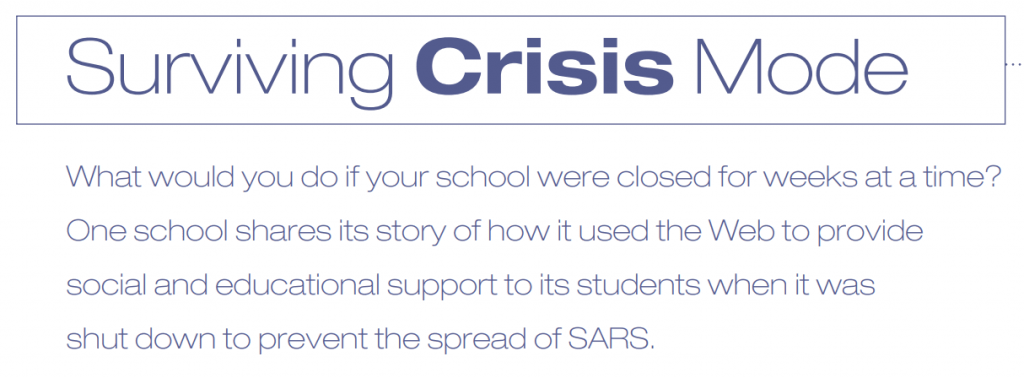
One big lesson that we learned at HKIS was that providing blended learning is the first step towards being equipped to handle a school crisis that leads to school closure. I see an ESC providing schools the know-how to fully develop their crisis plan and prepare the school to go virtual in case of closure.
Offer Administration Support–
I am listing this stakeholder group because they have so much to do in their jobs, especially around planning, accreditation, local regulations, budgets, etc. With so much to do operationally, some schools might need the expertise and outsourcing that educational services companies can provide to support new initiatives and program management. Here are a few examples of standard programs and processes that some schools might need support to manage.
- professional learning opportunities for staff
- curriculum development and mapping
- school crisis management plan development and implementation
- policy and procedure documentation
- change management
School leaders already naturally turn to the world of consultants. Educational services companies are consultants, yes, but there are not many who offer a wide array of expertise. I would like to know if enterprising ESCs offer a broker service giving their school clients menus of specialized consultant options with their backgrounds, costs, etc., to help decide who to hire.
In Conclusion-
I enjoy reading business articles and books. I especially enjoy listening to podcasts with interviews of thought leaders. Something tells me that educational service companies led by business and education minds offer their client schools attractive opportunities to support all their stakeholder populations.
Image Source

 I reached out to our ES teaching teams about the idea of having SEL/Wellness Lead teachers at each of our grade levels who work to integrate social and emotional activities into the weekly planners. I created a Google Doc to share and cross-pollinate the strategies the teams already formulated. Here is the list from our first round of sharing their activities.




 I mentioned in my
 Do you listen to podcasts? How about watching TED Talks? Are you interested in Positive Psychology? If so, the following are links to discussions about Positive Psychology. If you are new to podcasts and would like help setting up a podcast app on your phone, please reach out to friends in the know or search for a web tutorial to get you set up to listen and learn.
 A Captain Obvious moment here. As we try to package and “sell” our programs to a busy clientele, in this case, teachers and parents, it only makes sense to demonstrate how the program has interrelated purposes that meet multiple learning needs for our students. Thus, when we talk about wellness, we are talking about its umbrella nature of combining under PERMAH several very everyday initiatives that are found in our schools.