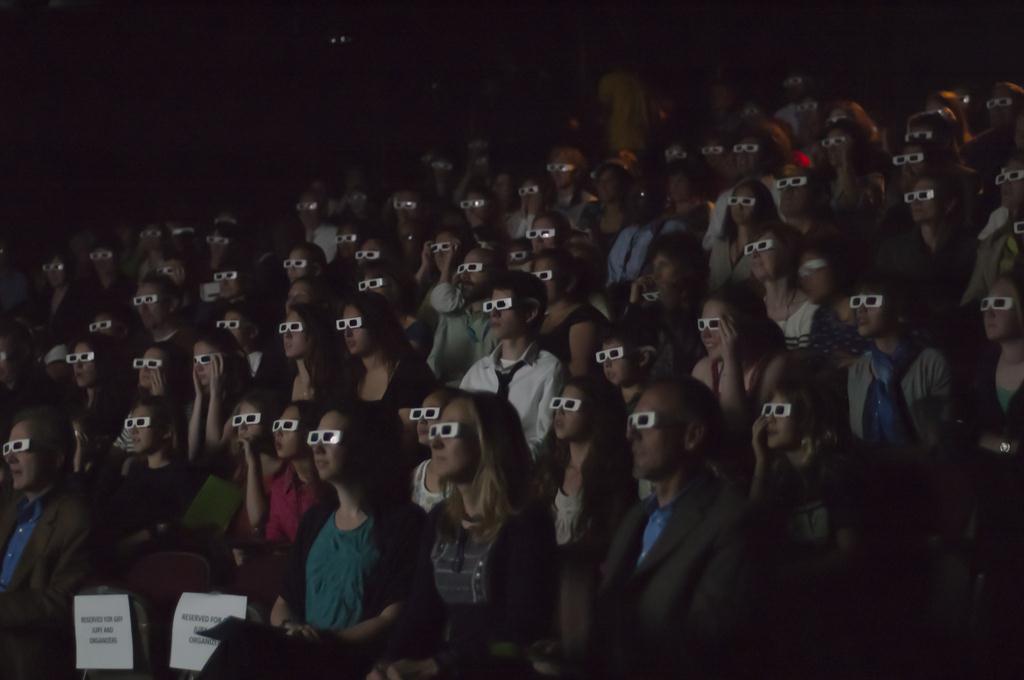
Lessons Learned

Instructional Technology - International Education - Wellness

Category: Video (page 1 of 2)

Videography in Student Hands (Lessons Learned)

Video creation in the hands of students empowers (yes, the overused term but so true in this case) them to attain many skills, dispositions, and habits of mind while providing a voice to create and share their thinking. You might respond to this statement by saying, “of course,” but why even say, “in the hands of students”?

My lesson learned and ongoing belief going back to my first days starting in the field of instructional technology has been to do everything possible to give students total but scaffolded control of the video creation process. My recent year in a public school system demonstrated that even in 2016, this is sometimes not the case.

During my year in the school system, it was heartwarming to see and hear about elementary schools where students were involved in producing news programming shows. I saw and learned about educators guiding their students to gather, write and report the news and, in some cases, shoot video and still shots. I did not see or hear about students fully working and learning in the very authentic roles of directors, project managers, and editors guiding the production process from start to finish. As there are 100+ elementary schools in the system, I am sure there are exceptions to my observations.

This gets to a second lesson learned. As in many learning experiences, it is about the process and not the final product. Pretty obvious, but with video, it can be the case that adults sometimes step in to polish the video while depriving students of the final editing steps. Letting students have complete ownership over the process, especially the editing, is vital.

A third lesson learned is that content is king, with production values coming in a close second, especially steady video and good audio. 🙂 Video production sometimes doesn’t always support real learning, as kids will be kids if given free rein. Losing valuable learning time to shoot goofy videos and what I call fluff in support of upcoming parent presentations doesn’t provide the model we want students to emulate. 

I can come across as not being fun, but using technology to check the box of tech use and not taking advantage of the project-based nature of videography definitely is high on my list of misuses of tech. In 2008, we dedicated an entire episode of the Shifting Our Schools (SOS) podcast to this topic. The audio for the show is unavailable, but Jeff, myself, and Dave Navis posted a few lessons learned on this topic that I am now seeing pop up from time to time in the blogosphere.

We have come a long way from the early 2000s, with many educators providing guidance on using video in the classroom and many resources supporting the video production process. If my lessons learned make sense to you, look to work as a designer to develop storyboard templates, production guidelines, role descriptions, exemplars, etc., as you facilitate your student videographers to have a great deal of control over their creating and learning. Start with small projects where their peers can give feedback on content and video production values. You will quickly see a ramping up of quality as students work to shine for their classmates.

Here are a few previous posts that might be helpful.

Tips for Supporting Student Videographers in Creating Documentaries > Terrific insights from a video producer and links to the work of two leaders in student-created documentaries. There is a reference to a book to be published. Here is the link to the book that has since been published on how to support student-created documentary creation.

Teaching videography> This post includes a book on the how-tos of video production.

Connecting Your Mission Statement to the Community > There are so many topics your students could do news reports on or complete documentaries. A big one is the culture and mission of the school. This post provides an example of one Grade Three classroom’s effort.

Image Source

Tips for Supporting Student Videographers in Creating Documentaries

Mark Hofer of the College of William & Mary and Kathy Swan of the University of Kentucky continue to provide leadership in student-created documentaries. One can see some of their work at the Digital Directors Guild and Digital Docs in a Box. Kathy and Mark are now writing a book on how to support students as they produce documentaries. They reached out to practitioners in the field to give them some tips on what doing documentaries and videos in general look like in the classroom.

I put together some of my experiences, which you can find below. I also contacted Sean Moran, the Director of Technology for Washington International School (WIS), to share his insights. Sean’s background is in media creation, and he helps manage the WIS Global Issues Film Festival. Thanks to Sean for permitting me to post his response to Mark and Kathy.

Sean’s Writeup:

As someone trained years ago in production at a time when the film was a physical strip of frames on a reel, and video was recorded on a cassette magnetically, before YouTube and streaming video and phones that double as cameras, I brought a set of assumptions to the task of teaching children about documentary film making that I quickly learned I needed to abandon.

I assumed the ease of consumption of digital video (films, television, internet memes) prepared students to be more thoughtful viewers by the mere exposure to enormous volumes of content. I learned that the reality is just the opposite. The majority of digital video viewed by the average adolescent captures attention despite poor production values, a lack of understanding of film grammar, and a complete disregard for story structure. Because of this, students never learn a vocabulary of composition or structure that can help them create their documentaries.

I also assumed that the ubiquity of inexpensive, high-quality cameras and editing software would predispose students to craft technically competent products. Again, I was disappointed. I found students are so surrounded by technology that they’ve become adept at discovering shortcuts in coping with that technology. They often never learn why they are doing what they are doing — they know it works. This kind of cursory knowledge works against the complete kind of understanding that it takes to shoot and edit an effective documentary piece.

So, I was left with little foundation and bad habits that I felt I needed to break. I concentrated on the following concepts:

1. It’s all about the story. Without a story, a documentary is just a collection of facts. And while that worked for Al Gore in making An Inconvenient Truth, it’s not the best strategy for the rest of us to use in conceptualizing a film. To this end, the script is critical. Starting with a well-researched premise and continuing through diligently transcribed interviews, ensuring the script’s building blocks are solid will position any student filmmaker in creating a documentary that resonates with its audience. This is incredibly detailed work and requires patience — all way before most of the art of the documentary happens.

2. Be prepared. It’s not just for the Boy Scouts. My college television production professor used to say, “If you fail to plan, you plan to fail.” Whether Ben Franklin or Winston Churchill gets the first credit for this aphorism, it’s good advice for the student digital filmmaker. Location documents, equipment lists, scripts, storyboards, and shot sheets — these are the things that separate factual documentaries from funny cat videos. The shooting of the b-roll and the editing of the film should almost be mechanical tasks in realizing the film’s vision. So often with students, the planning happens after they’ve checked out the equipment and are about to shoot. Aside from being efficient, it also only leads to good decision-making.

3. Understand basic film vocabulary. Just a simple explanation of the types of shots (long shot, medium shot, close up), basic editing principals (edit on an angle, an action, or cut to a different size), and camera and lighting techniques (avoiding zooms, maintaining headroom and eye line, three-point lighting) will help pull everything together. A student can have detailed documentation for location shots and interview questions. Still, if that student understands the aesthetic tradition fundamentally, the final film will look like a home video.

4. Learn from the pros. Deconstructing good documentary films is the best way to model good technique. From analyzing specific shots and editing choices to looking at narrative arcs and depictions of specific characters, pulling apart good films is essential before allowing students to pick up cameras.

5. It’s about the process. Student films can be wildly successful projects without looking remarkably polished. Student internalization of the lessons of the production process (planning, teamwork, the manipulation of the film’s message to communicate an idea to an audience) is the ultimate goal. Generally, a good product follows a good process, but ‘good product’ is a squishier concept and, especially in the hands of a novice filmmaker, can be more elusive.

__________

David’s Writeup:

-Have a clear listing of technical and content criteria in a rubric. It helps to start teaching good design skills early in the elementary school curriculum. Allow students to analyze good and poorly-designed presentations to build their foundation knowledge. As the students progress through elementary school, moving from basic presentation tools like PowerPoint to screencasting to video, they need to develop their critical eye to the point that they can help develop rubrics for video projects. We know that multimedia production leads to huge buy-in and ownership from students. Look to go the next step to let them use their developing expertise to devise how to evaluate their work. This is one way to help “TPACK” our young videographers. 🙂

-Ensure the students always have the project rubric in hand as they prepare and shoot their videos. The rubric should contain the normal listing of criteria but also questions to get the students to think about their audience, their intent, how they are introducing and building characters, and technical criteria. These questions should all be fully answered in the scriptwriting phase of the process, but it doesn’t hurt to keep reminding the students as they look to shoot the video that connects to their storyboard.

-It is valuable to immerse the students in documentaries to view independently with questions to help them develop their documentary analysis skills. Class time can be better utilized for discussions as opposed to watching videos unless, of course, the videos cannot be shared via the Web. Using a blended approach via a threaded discussion through one’s learning management system is one way to have the students discuss documentaries. The virtual sharing of ideas can carry over to the classroom, where the teacher can use questions to help the students better understand the structure, strengths, and weaknesses of the videos they watched.

-It is helpful to build the students’ technical vocabulary regarding the nuts and bolts of videography and terms specific to documentaries. We give students a way to talk about their writing using the 6+1 traits. We need to do the same for videography and documentary production.

-Look to put students in the position to analyze their work as they proceed through the video recording phase of the production process. We often start the documentary production process by having teams pitch ideas for their video. Look to continue this process to have teams watch their multiple takes using their vocabulary to analyze their work. This formative self-assessment helps the students internalize their work with a critical eye. One can go a step further to have teams pitch (i.e., show) a few takes of a scene to the class as a whole, where they first offer their constructive criticisms but then ask for responses from the other teams. This could be done in a blended fashion as well. The ultimate goal is to choose the best take for each scene. Students are often more open to feedback from their peers than their teachers. 🙂 The bottom line is that the less experienced students need technical and content feedback as they shoot their scenes. It is easier to wait until the editing stage if the video content needs to be re-shot. This, again, is where a clear listing of criteria in the form of a rubric puts the students into self-reflection mode. For example, one can point to the lighting or sound section of the rubric to ask the students how they would score themselves. The same goes for the content, as in connecting the video to the storyline, character development, etc., which should be easily connected by comparing the storyboard and script to the video scene.

-Using a collaborative app/website like MindMeister to create the team’s storyboard is helpful. Everyone has access to it as they move through the shooting phase of the production process. Changes can be made, notes for specific takes, scenes recorded after shooting, etc. The storyboard can be shared with the teacher, who can give ongoing formative feedback.

-Logistics and adult supervision come into play, especially with elementary and middle school students. Look to work with the students to write up a code of conduct for shooting their scenes when they are out in the school. Working with the administration to get their take on how much freedom students can have in shooting in the cafeteria, classrooms, etc. when an adult might not always be present, is helpful. The older the students, the more one wants to allow them to be responsible and self-sufficient. Finding spaces to record videos in one’s school is difficult. Even if a space is open, students and adults walking through the area can be a problem. Background noise, especially in hallways, is another obstacle the student videographers must solve.

Image Source
Helpful Strategies to Start the Year

Having new teachers photocopy a hand and send it to their email account? What sort of learning experience is this? This is just one of the scavenger hunt “to do’s” that our new teachers did this past Friday at Alexandria Country Day School (ACDS).

Elizabeth Lockwood and Liz Hendrickson are creative educators who created a scavenger hunt to orient new staff to ACDS. This effective strategy to improve the new teacher tour/orientation offers a very engaging and fun experience for schools to share with their new hires.

As our iPad Pilot is now rolling from the Fifth Grade to the remainder of our Middle School, Elizabeth and Liz came up with a way to have the new teachers use their iPads in a scavenger hunt using problem-solving skills while working collaboratively to produce a product much like we hope they will be doing with their students.

One driver in these tours is to help new staff learn of the people they need to seek out to meet specific needs (e.g., business office, tech support, etc.) and where to go to take care of everyday tasks like using the copier, getting ice for scraped knees, etc. Elizabeth and Liz met the new staff and divided them into two groups with iPads. They then emailed them the scavenger hunt list with an expectation for the final product: a video slideshow. Using apps on the iPads to create drawings, take photos, and compile them into a video would give the teachers some experience in how the iPads can be used in their classes.

Here are a few of the assigned tasks:

  • In the newest part of the school, find the ice machine. Take a picture of one of your team members holding the ice scoop. Save the picture.
  • Go to where you need to get business done. Speak to the powers that be. Record a video of his answer to your question about how to get reimbursed for a purchase you made for the school. Save the video.
  • If you need more than one, this is where you can multiply your work. Scan one of your team member’s hands in the machine, send it to your school email account, and save the picture.
  • Go to the classroom of your youngest team member. Using the Art Studio app, draw an exit map from that classroom that you could use during a fire alarm. Save the picture.

A second start-of-the-year strategy involves professional development. Our Information and Communications Literacies (ICL) team designed a workshop for our staff this week. With all of the Middle School teachers having spent a couple of days working in our Curriculum Collaboration Team meetings this summer, reviewing and developing units of study using the Understanding by Design (UbD) construct, we want to give all of our teachers time to share ideas and build on them as we focus on alternative assessments. A secondary goal is introducing our Curriculum Review system to the lower school teachers.

The plan is to review a presentation and workshop for the Middle School at the end of last year, where we introduced our systematic way to develop UbD-style units in meetings led by teachers collaboratively. We will share some unit plans developed over the summer, looking closely at Stage 2 of the UbD process involving assessment. The next step involves listing alternative assessments to the standard paper and pencil test. We plan to share “analog” assessment strategies based on what the teachers are already comfortable using. From debates to writing a newspaper article to drawing a picture, the teachers will receive a listing of multiple assessments that don’t engage with technology.

Teachers will be grouped with one lower school, one middle school, and one particular teacher. Each teacher will use the assessment listing, looking for ones that catch their eye as a possible replacement for current tests they might be using in their units of study. They will be tasked to write how they might use an alternative assessment in one of their units for the coming year.

The next step will be to have groups swap their assessment plans. Groups will then use Post-It notes to write their ideas on how alternative assessment ideas might be expanded upon or taken in different directions. The teams will stick their notes on each assessment write-up, sharing their ideas with their group. The ICL team will then collect all the assessment handouts to be photocopied and returned to their authors. The collaborative efforts will help guide our teachers to try some new assessment techniques and some of the ideas that their colleagues added with the Post It notes.

We will then use the assessment idea documents to meet with teachers individually to discuss further how the analog assessments could be improved by making them digital with Web 2.0 tools, video, screencasting, apps, etc., using the iPads.

In roughly a month, we plan to share some of the alternative assessment ideas that have been digitally enhanced. We will also present a chart like the Learning Activity Types produced by Judi Harris and Mark Hofer of William & Mary. Ours will have a left-side column listing the analog assessments and a right-side listing the digital versions. Our plan fits with the normal process of working with teachers in their comfort zone to help them see the connection in how technology, in so many ways, builds on what they are already doing and, in many cases, offers more choices for students and enhances their learning.


Image Source


Student Videographers

I am always looking for examples of quality student-produced videos to provide examples of videography techniques for my students. Jim Reese of Washington International School has been telling me about a very talented filmmaker at his school. The student’s name is Sophia Pink. She was featured in a blog post at Scientific American that presented two of her incredibly creative videos. Take a look.

A second student filmmaker is my son Maxwell. Max enjoys acting and has been creating videos for several years. He is now getting serious about it and recently worked with two other 8th-grade students to produce a video for his English class. Take a look.

Teaching Videography

I recently started teaching videography lessons to one of my classes using diagrams and tutorials pulled from several places on the web. To give the students firsthand experience, I tasked them to work in groups to develop an idea for a short video to pitch to the group, followed by storyboarding, shooting, and editing the video. The students use a template created in Inspiration to storyboard the scenes and write their scripts using the note tool. The early lessons on lighting, audio, camera angles, etc., usually don’t sink in until the student groups shoot their two-minute videos and show them to their classmates. With their constructive criticism, their peers help those early lessons sink in.

Once we move into students creating videos for their subject area assessment projects, I plan on having several copies of The Guerrilla Guide To Moviemaking handy for students to review the basics while advancing their skills.

As someone who teaches video to elementary and older students, I especially like the way Rick illustrates his book using cartoons, which connects to students as visual learners. His step-by-step procedures provide his readers with a very understandable pathway to shoot a school video project while offering tips for students who want to expand their videography techniques.

Publishing Moguls and Electronic Textbooks

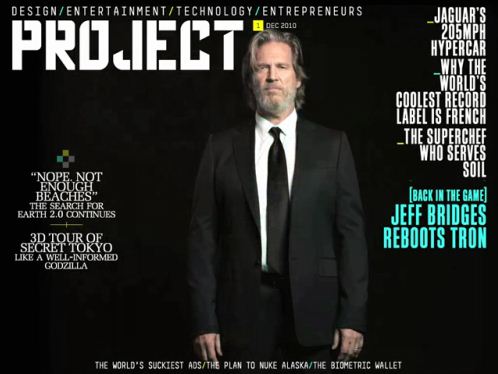
Project-iPad-Only-Magazine

I wrote a post back in April about my hope that further advancements would occur in digital textbook creation, as well as the need for information brokers to provide services to help teachers develop their electronic textbooks. Recent news of Richard Branson and Rupert Murdock’s efforts to publish magazines and daily newspapers constructed just for the Apple iPad (and I am guessing eventually other tablets) has me hoping their efforts will break new ground for digital textbook companies. The key is to develop a format that takes advantage of the Web connectivity of the device as well as the multimedia playing functions to make the “reading” of the text much more multimodal and immersive.

While electronic textbooks have been around for some time, the iPad’s efforts to publish for it will further the discussion and possibly push for some innovation. The November 2010 issue of Learning and Leading with Technology has a point/counterpoint debate over digital textbooks. I would add to the discussion the points I made in my April post about teachers being empowered to create their e-textbooks to move past the current commercial textbook publishers, thus supporting Michael Cody’s point that online resources provide far richer resources than static, one-size-fits-textbooks.

It would be nice to combine the online resources, audio/visual media sources, and teacher-crafted text sources in a textbook individualized for reading levels, content background, etc., so students can have their “textbook” on whichever device they choose.

Image Source


Skype Connects Role Players & Subject Matter Expert

A teacher at my school recently used a simulation, technology and a subject matter expert to bring deeper understanding to her students’ understanding of Shakespeare.

Ms. Galland’s Advanced Placement Language and Composition class read Shakespeare’s The Merchant of Venice, analyzing how a moneylender named Shylock demands repayment from a debtor named Antonio. Shylock asks that Antonio repay him his 3000 ducats with a “pound of flesh,” as promised in the verbal contract they agreed on.

The AP students held a mock trial in class before George Galland, an attorney in Chicago. Mr. Galland played the role of judge over Skype. The plaintiffs used legal opinions, evidence from the Folger Shakespeare Library, and other websites and articles documenting the climate and laws in Elizabethan England to present and defend their cases. Mr. Galland favored the defendant but was impressed with the AP students’ preparation, presentations, textual citations, and courtroom performances.


Acknowledgment: Hilary Galland helped author this post.

Computer Cameras and Presentation Skills

They complained, giggled, and balked but finally started their presentations. Three eighth graders stood in my classroom in front of their MacBooks, speaking out across the room as the laptop built-in video cameras recorded their speeches directly to iMovie. To graduate from Institute 1 (grades 7-8) at Hsinchu International School, all 8th graders must give an end-of-the-school-year forty-minute presentation to fellow students, parents, and judges where they give examples of their learning demonstrating growth in our five student learning outcomes. With their “Exhibition” evening fast approaching, we realized that the MacBooks could become versatile feedback and learning tools.

After the initial recording session, the 8th graders reviewed their videos while making notes about their presentation skills. Whether it was poor eye contact, low voice output, or killer smiles, the students faced undeniable evidence of their weaknesses and strengths as public speakers.

We could have used a camcorder and had the students take turns presenting, but this would have meant taking time to transfer footage from the camera to each student’s laptop. Students would also spend even more time sitting and watching classmates present when they could practice themselves and get immediate evidence of their progress. While we set aside time for whole-grade practice sessions, we hope that our version of the valuable technique of videotaping presentations will help our many ESL students feel more comfortable speaking and push them to practice more independently.

A coinciding use of the MacBooks occurs in our 7th grade Language Arts class, where Thomas Perkins has his students construct a presentation skills rubric. The students first worked to create the rubric on paper. Now, they are “laptop” videotaping themselves, presenting each criterion at the different score levels. Score a “4 out of 4” on the teaching rubric for Thomas in having his students engage and learn about presentation skills by using thinking skills at the top of Bloom’s Taxonomy. Thomas also gets bonus points for using technology to support and enhance learning.

This was first posted at U Tech Tips.

Connecting Your Mission Statement to the Community

samcamerasm.jpg

How connected are your students, teachers, and parents to your school’s mission statement and student learning outcomes? We often spend a great deal of time developing these guiding documents in committees, but we need to improve our efforts to communicate and embed them into our school cultures. Sometimes, the sharing is little more than placing copies of our mission statements and learning outcomes on classroom walls. This doesn’t slice it in our media-rich world. Our students’ brains want a much richer media format that can start discussions, develop ownership, and build understanding.

Much like our efforts to integrate technology and various literacy skills into the curriculum, we need to think about combining technology and learning to deliver our respective schools’ mission statements and student learning outcomes into the classrooms and the larger school community. One idea is to pull together a team of students to go through the video production process to create videos that paint the picture of the mission statement from a student perspective. This real-world, project-focused effort can be done at each school division involving the usual steps that go into videography production.

Multiple intelligences come into play as student teams apply their language arts skills to storyboard, write the scripts, and contact the “talent” for each scene. Roles for actors, camera people, directors, music creation, and video editors are also assigned.

Once the videos are produced, they must be shared in as many possible venues. Play them on your closed-circuit TV system along with your typical student news shows. Post the videos to your school Web site, and make sure you have links on your prospective parent and employee pages. Also, consider getting your school leaders to add the videos to their blogs. Ask them to post about their plans and actions to move the school community towards making the mission and student learning outcomes a focus in how decisions are made.

Strong connections are made with the viewers due to the social and visual nature of our brains. Students want to see the work of their video-producing classmates, and we know they really connect to images over text any day. They will also see the mission statement as more meaningful when classmates and teachers explain it. You will likely find more success with your elementary students interviewing adults to explain the various segments of your school’s mission statement and student learning outcomes. As you move up in divisions, the students can take on more independence interviewing each other as well as adults or work to create scenes that depict their interpretations of the mission and learning outcomes.

To get you started with an example, here is a link to one of a five-part video series created by Mrs. Brings’ Third-grade class to promote the Hong Kong International School’s mission statement. It is a streaming WMV file, so your media player can handle it.

Service & Global Understanding

Note: This story was initially posted at U Tech Tips.

Mathcast

I listened to Wes Fryer and Karen Montgomery’s podcast last week, where they spoke about creating online vodcasts as tutorials for solving math problems called Mathcasts. They spoke with Tim Falhberg, the originator of Mathcasts. As VoiceThread is probably the easiest way to post a vodcast, they felt it was the way to get started. What intrigues me is that these online tutorials put students into the role of the teacher working to design the vodcast and produce it for an audience of fellow students. We know what that means for quality learning on the scale of effective learning (i.e., Lecture> Reading> Audio-Visual> Demonstration> Discussion> to the most effective Practice by Doing). With a public audience, we also know it pushes students to do a better job completing and publishing their work.

Here are links to resources to help you learn more about Mathcasts:

Introduction to Mathcasts home page

What a Mathcast looks like

Directory of Mathcasts by grade level

How to get started

Patty O’Flynn shared how she is using Mathcasts with HS students. Check out her blog on Mathcasts.

The Mathcasts I looked at centered around pen and number drawing on the screen with voiceovers. Looking to expand on this, especially with more lateral thinking students, consider challenging students to find other ways to use visuals to teach the skill or concept. I can see storytelling students illustrating their voiceover using cartoon characters dealing with situations involving math. It might be a reach, but for older students, the TV show “Numb3rs” is a big hit that uses math to solve mysteries. They might find themselves as actors in their Mathcast drama! It is all about making connections and applying to new situations to reach a profound understanding with total student engagement.

Older posts

© 2026 Lessons Learned

Theme by Anders NorenUp ↑

Skip to toolbar