Lessons Learned

Instructional Technology - International Education - Wellness

Tag: tech titans

Tech Titans: Sketch- Creativity and Innovation

Sketch

The following information comes from the FCPS page listing Sketch, the Tech Titan, representing the NETS Creativity and Innovation standard. My comments are at the end of each passage.

Unique Traits

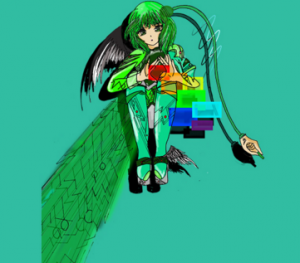
Sketch thinks outside the box, using a variety of technology tools to develop new products, processes, and ideas that solve real-world problems. She is a modern day Leonardo DaVinci, Ada Lovelace, and Thomas Edison!

My Take: Analyze this excellent drawing of Sketch to see how she pulls creation tools from her toolkit – Personal Learning System to innovate. One can see students connecting to the image when asked, “what tools do you use to create and innovate?”.

Special Skills

Sketch has a keen eye for design. She creatively selects and blends photography, music, images, colors, fonts, and other elements to express herself. She continually reflects on her work and the work of others and strategically adapts in order to improve her work.

My Take: The words “design…select…blends…express” really nail this skill listing. I cannot say enough about the importance of teaching design to our students while allowing them to choose media, blend it and express themselves. Awesome!

Digital Tools

Sketch utilizes creativity and drawing applications, programming tools, digital cameras, audio recorders, digital music creation and mixing tools, and more!

My Take: This section connects to students’ technology literacy in choosing the right tools for the task. As our students gain experience using specific tools, they gain the needed fluency to create while also being efficient with their time. Sometimes we have to work with our students who might spend too much time in the decorative phase of creating learning products. 🙂
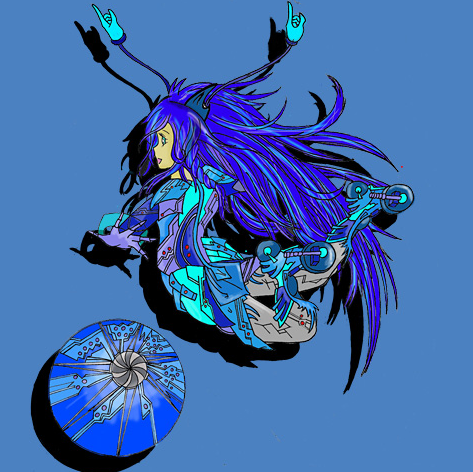
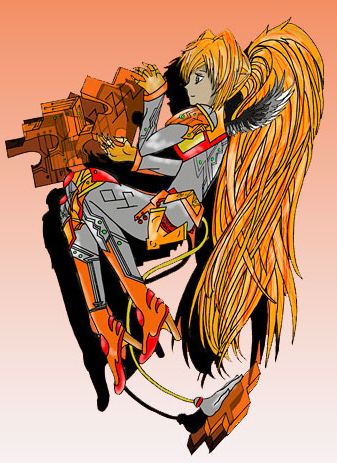
Image Source

Tech Titans: Gumshoe- Research and Information Fluency

gumshoeThe following information comes from the FCPS page listing information about Gumshoe, the Tech Titan, who represents the NETS Research and Information Fluency standard. My comments are at the end of each passage.
Unique Traits

Gumshoe is like a hound dog when searching for information.  She sniffs out imposters and selects only those websites that provide accurate information. She moves quickly through the World Wide Web by being an efficient and effective researcher.

My Take: Love the name of this character- so appropriate along with the image of a hound dog. What a terrific hook for our learners! I would expand the powers of Gumshoe to include a broader array of information sources to also list media and to break media down into examples especially for our young learners.

Special Skills

Gumshoe uses reading strategies, plans for research using a research model such as the Big 3, 6, or 12, and identifies the best sources of information to use for a given task.  She is skilled at organizing information, identifying patterns and relationships, and systematically analyzing collected data.

My Take: Again nicely written for our students to help them build their understanding. I would add the term of inquiry and include some information about curiosity leading us to find information to then as stated analyze it using the term “curation” for organizing information. The mention of one’s Personal Learning System (PLS) connects to the digital tool section below.

Digital Tools

Gumshoe uses online library databases, advanced searching techniques, and online collaboration tools such as documents, spreadsheets, and graphic organizers to help collect and visualize information.  She uses citation makers to give credit to her sources.

My Take: Love the listing of library databases and online collaboration tools. As I review these characters/standards, I am finding myself thinking of ways to provide connectors showing how each character supports the other. In this case a line or two about going from curation to creation and communication of one’s ideas might be helpful.

Image Source

Tech Titans: Sherlock- Critical Thinking and Problem Solving

SherlockThe following information comes from the FCPS page listing information about Sherlock, the Tech Titan, who represents the NETS Critical Thinking and Problem Solving standard. My comments are at the end of each passage.
Unique Traits

Sherlock has an insatiable appetite for puzzles and problem solving–no challenge is too difficult!  She uses technology tools to locate, organize, and analyze collected information leading to a creative and informed solutions.Special Skills

When approaching a problem, Sherlock knows how to break it down into manageable parts and identifies key questions to be answered. Sherlock remembers to look at problems from multiple perspectives and uses technology tools to help analyze collected data. She perseveres when the going gets tough!

My Take: Nothing to add here. This description is very clear and in student friendly language.

Digital Tools

Sherlock uses a variety of information gathering strategies and tools to collect the elements needed for problem solving. These include reputable sources on the Internet; voice recorders; digital cameras; concept mapping software; and spreadsheet sorting, filtering, and calculating tools.

My Take: I would add that students working to incorporate all the NETS develop their individualized set of tools as they use the skills in their learning. I call the set of tools one’s “personal learning system”. You can find our more about this idea at the Web Resources for Learning Web site.

Image Source

Tech Titans: Shari- Communication & Collaboration

Shari

The following information comes from the FCPS page listing information about Shari, the Tech Titan, who represents the NETS Communication and Collaboration standard. My comments are at the end of each passage.
Unique Traits

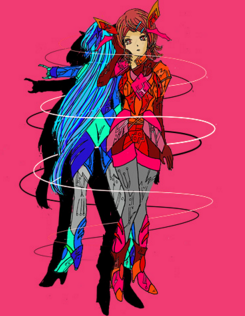
The swirl of communication and collaboration never stops with Shari! She loves learning with others both in school and outside of school.  Shari uses technology tools to make communicating and collaborating easier.

My Take: These characters represented in posters displayed in schools throughout the county are aimed to engage students to think about their use of technology and information. Thus the language fits well for our younger students. I wonder if there are plans to differentiate the representations for our Middle and High School students as the program moves forward. I think even with our older students that the Manga style art can bring in high schoolers to offer their take on ways they communicate and collaborate. One can definitely see the Tech Titans Web pages expanding to include examples of student work and their interpretations.

Special Skills

Shari not only loves to share her discoveries, she is also very curious to learn about what others think and values opportunities to learn from others.  She asks great questions, is a good listener, and enjoys the collaborative process.  She has an interest in understanding other cultures, so she engages with a variety of people within her school, the community, and even around the world!

My Take: I really like the highlighting of being good listeners to also ask good and hopefully expansive questions when appropriate. Being citizens connected to their local and greater world community is key as this standard so nicely guides students to use their social skills often supported by technology as noted in the Digital Tools section below.

Digital Tools

Shari uses a variety of collaboration tools such as blogs, wikis, podcasts, discussion boards, email, and web conferencing.

Image Source

Visually Communicating ISTE Standards for Students

Tech Titans

How does your school communicate the importance and manner in which we use technology to think, create, innovate, and communicate? How do you visually help your students to make the connection?

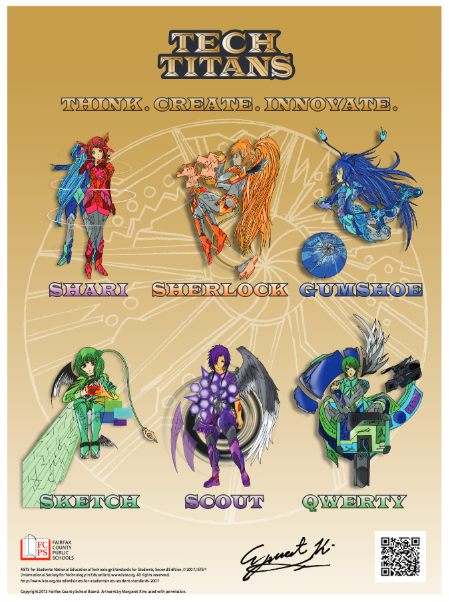
The leaders of the Fairfax County Public Schools instructional technology program reached out to students to create a way to represent the ISTE Student Standards visually.

A student design competition was presented, challenging students to submit images for six characters representing each ISTE student standard.

The winning student’s art was then incorporated into posters representing the Tech Titans for each standard and character. All six are on the wall outside the computer lab at my school. Daily, I see students commenting on the characters, art, and the provided information. Curiosity is engaged, which leads to questions and discussions in class about what it means to communicate, collaborate, think critically, etc.

The NETS have been out for some time now, so it will be interesting to reflect upon them. As Fairfax County Public Schools (FCPS) is my new employer, I am grateful for such innovative thinking and follow-through by the leaders of our instructional technology program. Be on the lookout for a series of posts where I will share the poster for each standard/character and my review of the standards. 

My take will include the belief mentioned in this blog and on the Ed Tech Co-Op podcast that the ISTE NETS and AASL Standards for Students cover common ground and can be incorporated into one set of standards for our schools. An excellent example is the Information and Communication Literacies (ICL) outcomes developed at the Washington International Primary School.

This design challenge offers other schools and districts opportunities to develop ways to engage students in the NETS. Having students digest the standards to represent them visually is just one way to go. Students developing games, apps, podcasts, screencasts, mind maps, etc., around the NETS could be other avenues for students to think, create, innovate, and communicate.

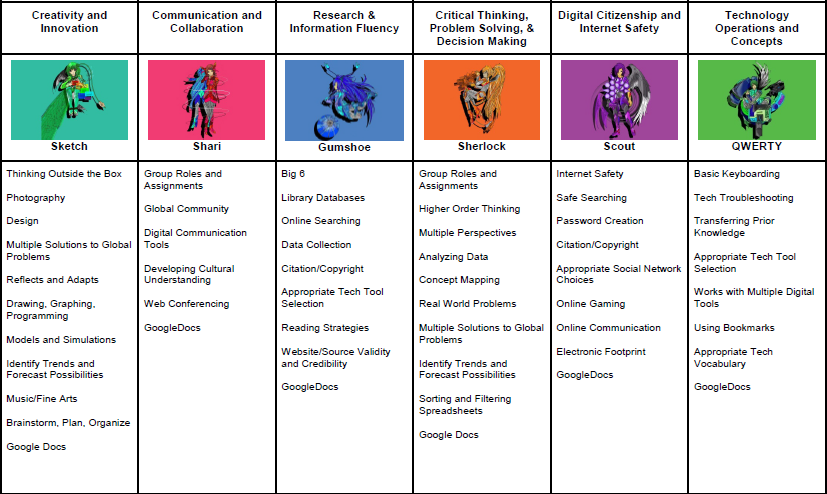
The provided video gives an excellent overview, including student voices in the project. And here is a chart provided to list some activities that support each standard. Check out the Tech Titan Web page for more information on this FCPS program.

Tech Titans

Image Sources

© 2026 Lessons Learned

Theme by Anders NorenUp ↑

Skip to toolbar